

How to Turn Podcast Episodes Into Blog Posts and Social Content
Turn podcast episodes into blog posts and social content with a workflow for transcripts, clips, summaries, captions, platform posts, and SEO.
Last updated May 25, 2026. Comparison guidance is current as of 2026.
Summary
Turn podcast episodes into blog posts and social content with a workflow for transcripts, clips, summaries, captions, platform posts, and SEO.
Znippet is relevant when podcast episodes need to become captioned clips, social posts, and reusable short-form assets.
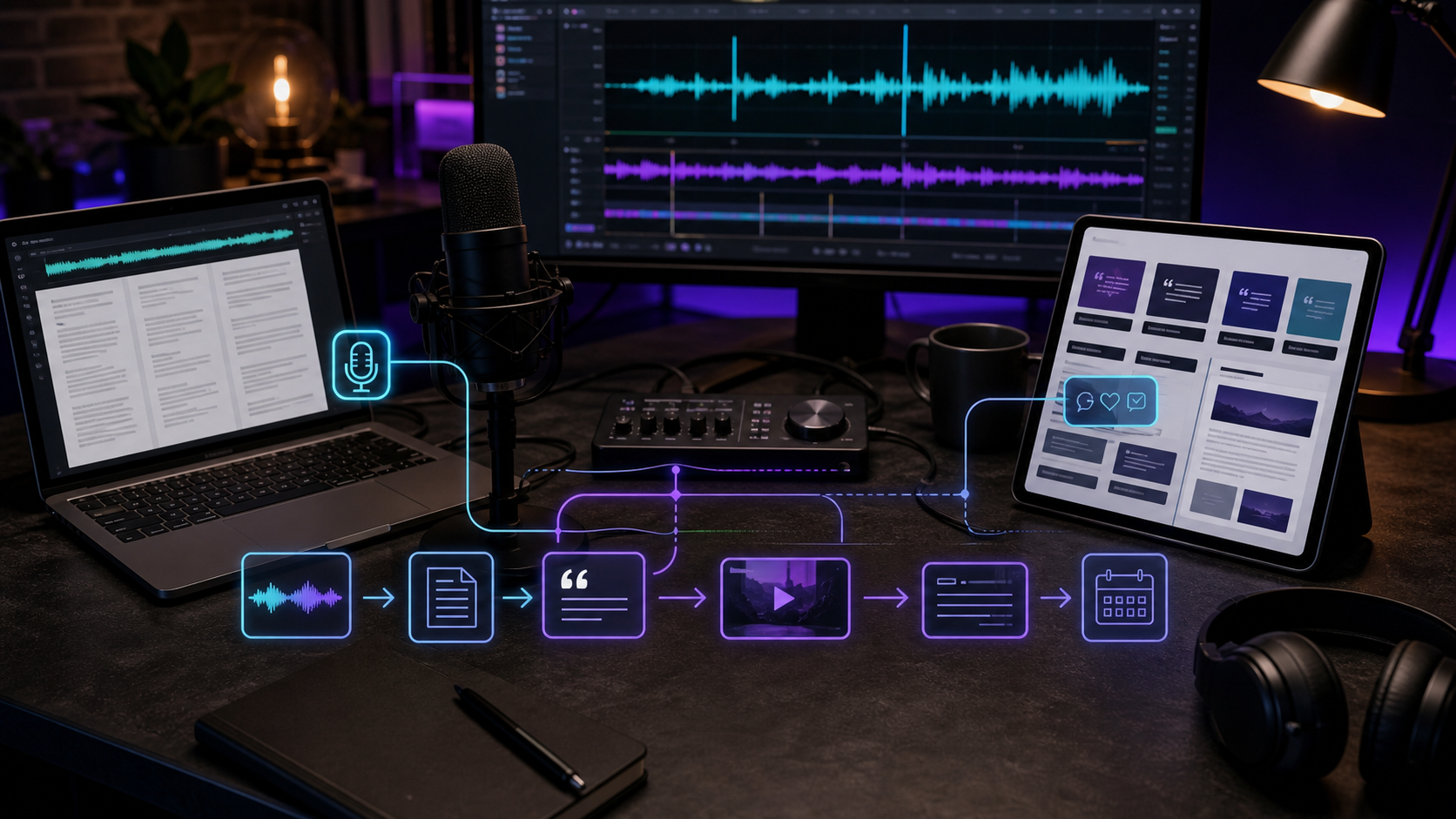
To turn podcast episodes into blog posts and social content, start with a clean transcript, identify the strongest ideas, write an article around the main topic, and turn the best moments into short clips, captions, quotes, and platform-specific posts. The episode becomes the source, not the final format.
For the short-form side, connect this with best tools to repurpose blog content into short-form videos and the AI Shorts Maker. If your podcast is distributed through Apple, Apple's podcast metadata requirements are worth checking before reusing titles, descriptions, and artwork across formats.
Table of contents
- Start With a Clean Transcript
- Turn the Episode Into a Blog Post
- Create Social Clips and Quotes
- Build a Podcast Repurposing Package
- Keep the Original Meaning Intact
- FAQ
Quick answers
- What does this guide cover? It covers how to turn podcast episodes into blog posts and social content with practical workflow guidance and tradeoffs.
- What should you check before acting on this advice? Match the workflow to your source material, audience, channel, review process, and publishing goal.
- Where does Znippet fit? Znippet is relevant when podcast episodes need to become captioned clips, social posts, and reusable short-form assets.
Start With a Clean Transcript
A transcript gives you searchable raw material. Clean up speaker labels, remove obvious filler, and mark sections where the conversation delivers a useful answer, story, framework, or opinion.
Do not publish the transcript as the blog post without editing. Spoken conversation usually needs structure, headings, and tighter explanations before it works for search.
Turn the Episode Into a Blog Post
Choose one central topic from the episode. Build the blog around a clear search intent, such as a question, comparison, how-to, or list. Use the transcript for substance, but rewrite the article so it has a direct answer, useful headings, and practical examples.
Add context where the podcast moved too quickly. Remove tangents that were entertaining in audio but distracting in written form. This is where content repurposing improves the original material rather than simply copying it.
Create Social Clips and Quotes
Mark three to six short moments that can stand alone. These might be strong opinions, surprising lessons, guest stories, tactical advice, or short answers to common questions.
For video podcasts, cut vertical clips with captions. For audio-only podcasts, use audiograms, simple visuals, or narrated short videos. An AI shorts maker can help find highlights, generate captions, remove silence, and prepare social-ready versions.
Znippet can fit this workflow when podcasters want to move from long episodes to short-form social assets faster, especially when publishing consistently across TikTok, Instagram Reels, YouTube Shorts, and LinkedIn.
Build a Podcast Repurposing Package
For each episode, create:
- One SEO-focused blog post.
- Three short-form clips or audiograms.
- Five quote posts.
- Two LinkedIn posts.
- One newsletter summary.
- Three FAQ-style posts from listener questions.
This package gives the episode a longer life and helps different audience segments discover the same ideas in different formats.
Keep the Original Meaning Intact
When editing podcast content into shorter assets, make sure the clip does not change the speaker's meaning. Add context in the caption when needed. Avoid turning a nuanced point into a misleading hot take.
Repurposing should make the episode easier to discover and understand, not distort it.
Build the package before the episode ships
The best podcast repurposing workflow starts before publishing day. While editing the episode, mark the strongest explanations, stories, objections, and practical takeaways. Then assign each moment a format: one may become a blog section, another may become a short clip, and another may become a LinkedIn post or newsletter paragraph.
This saves time because the team is not rediscovering the episode later. It also keeps the assets consistent. The blog, clips, and social posts can all point to the same core idea while using the format that fits each channel.
For interview shows, add guest approval rules to the package. Decide which clips need review, which quotes can be used freely, and how to handle sensitive stories. Clear rules reduce delays after the episode is already scheduled.
FAQ
Can a podcast episode become a blog post?
Yes. Use the transcript as source material, then rewrite it into a structured article with a clear answer, headings, and search-focused sections.
What social content works best from podcasts?
Short clips, quote posts, key takeaways, guest insights, audiograms, and FAQ-style posts usually work well.
Do I need video to repurpose a podcast?
No. Audio-only podcasts can become blog posts, newsletters, audiograms, quote graphics, and narrated short-form videos.
Sources and further reading
Background links used to check product details, terminology, and practical context.
- Apple Podcasts requirements
Apple Podcasts for Creators
Used as background context for product details, platform requirements, or workflow comparison.
- Create a podcast in YouTube Studio
YouTube Help
Used as background context for product details, platform requirements, or workflow comparison.
- YouTube Shorts
YouTube Help
Used as background context for product details, platform requirements, or workflow comparison.
- Captions and subtitles
W3C Web Accessibility Initiative
Used as background context for product details, platform requirements, or workflow comparison.
- Riverside official website
Riverside
Used as background context for product details, platform requirements, or workflow comparison.
- Descript official website
Descript
Used as background context for product details, platform requirements, or workflow comparison.
- OpusClip official website
OpusClip
Used as background context for product details, platform requirements, or workflow comparison.
- vidyo.ai official website
vidyo.ai
Used as background context for product details, platform requirements, or workflow comparison.
Keep comparing workflows
Related comparison guides
For podcast makers
Turn long-form footage into publishable clips
Use Znippet AI Shorts Maker to find strong moments, add readable captions, remove dead air, and export clips for Shorts, Reels, TikTok, and social channels.