

Captions and Silence Removal for Better Short-Form Videos
Why captions and silence removal matter for AI-generated shorts, social clips, TikToks, Reels, YouTube Shorts, and faster video editing.
Last updated May 25, 2026. Comparison guidance is current as of 2026.
Summary
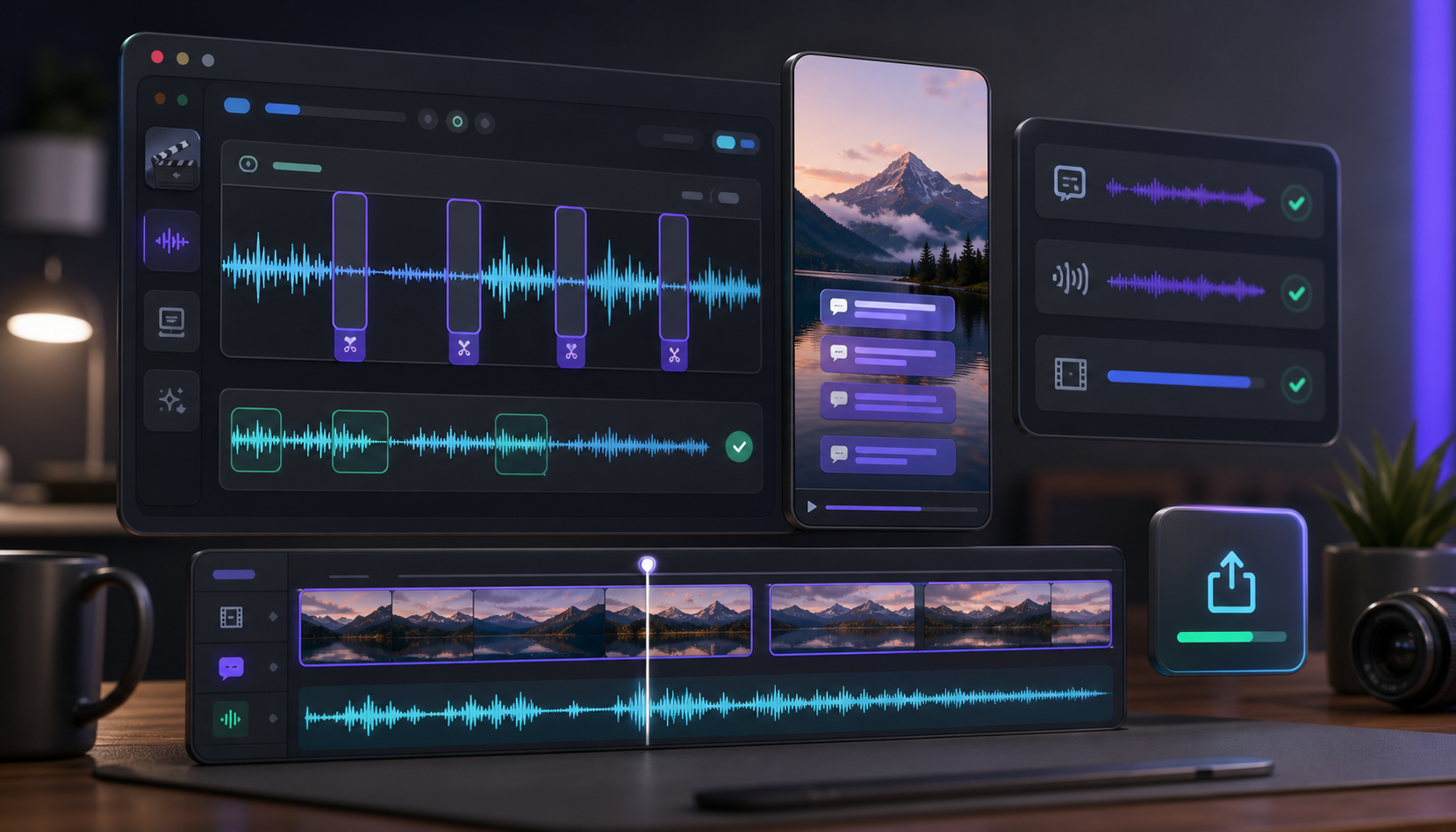
Captions and silence removal make short-form videos easier to watch and faster to understand. Captions help viewers follow the message before they turn sound on, while silence removal trims dead air, long pauses, and filler moments without changing the speaker's meaning.
The strongest short-form workflow is to find a strong moment, trim the opening, remove dead air, add captions, and export for the right platform.
Table of contents
- Captions make clips easier to watch
- Silence removal improves pacing
- Use both together
- Practical workflow for editors and marketers
- FAQ
Quick answers
- Why add captions? Many viewers watch social video without sound at first, so captions make the message clear quickly.
- Why remove silence? Dead air and long pauses can make a strong idea feel slow.
- Where does Znippet fit? Znippet supports captions and silence removal through the AI Shorts Maker and the Adobe Premiere Pro plugin.
Short-form video has very little room for slow pacing. Captions help viewers follow the clip quickly, while silence removal keeps the edit moving.
Captions make clips easier to watch
Many viewers watch social video without sound at first. Burned-in captions make the message clear even before the viewer turns the volume on.
Readable captions matter more than decorative captions. Keep lines short, avoid covering faces or product details, and review names, brand terms, numbers, and technical words manually. If the clip makes a claim, the caption should match the spoken wording closely enough that a viewer does not walk away with a different meaning.
For marketers, captions also create a quality-control moment. A misheard product name, client name, price, or claim can turn a useful clip into a trust problem. Treat the caption pass as editorial review, not only visual styling.
Silence removal improves pacing
Dead air, long pauses, and repeated filler moments can make a strong idea feel slow. Removing silence keeps attention on the message without changing what the speaker means.
The goal is tighter pacing, not robotic speech. Leave natural breaths, transitions, and enough space for the viewer to understand the point. Aggressive silence removal can make an expert, founder, or podcast guest sound rushed, which hurts credibility even if the clip is shorter.
Editors should test silence removal on a copy of the sequence, then scan the result for clipped words, awkward jump cuts, and moments where a pause carried meaning. For creator-led content, a small pause before the punchline or key insight can be useful.
Use both together
The most reliable workflow is simple: find a strong moment, trim the opening, remove dead air, add captions, and export the clip in the right format for the platform.
Znippet supports this workflow through the AI Shorts Maker and through the Adobe Premiere Pro plugin for editors who want deeper timeline control.
For related workflows, see the AI Shorts Maker for browser-based clipping and the Premiere Pro plugin for timeline-based editing. Editors who already work in Premiere Pro can also compare this with Adobe's official Speech to Text caption workflow.
Practical workflow for editors and marketers
Start with the clip's job. A podcast clip might need to drive viewers to the full episode. A webinar clip might need to explain one product idea. A creator clip might need to hold attention without making the speaker sound unnatural. That job should decide how aggressive the edit should be.
Use this review pass before export:
- Watch once with sound off and confirm the captions make sense.
- Watch once with sound on and confirm silence removal does not damage tone.
- Check mobile framing so captions do not cover faces, UI, or product demos.
- Verify names, numbers, claims, and links.
- Export one platform-ready version instead of asking the publisher to fix it later.
For teams producing many clips, save a caption preset and a silence-removal review checklist. That gives creators, editors, and marketers the same baseline while still leaving room to adjust each clip by speaker, platform, and topic.
Do not judge the edit only on desktop. Open the final export on a phone before publishing. Captions that look clean in a wide preview can cover hands, products, slides, or lower-third text in a vertical feed.
FAQ
Should captions be burned into short-form videos?
Often yes, especially for TikTok, Reels, Shorts, and LinkedIn clips where many viewers start without sound. Burned-in captions also keep styling consistent after upload.
Can silence removal hurt video quality?
Yes. If it is too aggressive, the speaker can sound unnatural or the cuts can feel jumpy. Use it as a first pass and review the final rhythm manually.
Should captions or silence removal happen first?
Usually remove obvious dead air and trim the clip first, then add captions to the version you expect to publish. That reduces caption cleanup on content that will be cut anyway.
Sources and further reading
Background links used to check product details, terminology, and practical context.
- W3C Web Accessibility Initiative: Captions and subtitles
W3C Web Accessibility Initiative
Used as background context for product details, platform requirements, or workflow comparison.
- YouTube Help: Add subtitles and captions
YouTube Help
Used as background context for product details, platform requirements, or workflow comparison.
- YouTube Help: Create YouTube Shorts
YouTube Help
Used as background context for product details, platform requirements, or workflow comparison.
- Adobe Premiere Pro official product page
Adobe
Used as background context for product details, platform requirements, or workflow comparison.
- Descript official website
Descript
Used as background context for product details, platform requirements, or workflow comparison.
- VEED official website
VEED
Used as background context for product details, platform requirements, or workflow comparison.
- Submagic official website
Submagic
Used as background context for product details, platform requirements, or workflow comparison.
- Captions official website
Captions
Used as background context for product details, platform requirements, or workflow comparison.
Keep comparing workflows
Related comparison guides
For Premiere Pro editors
Turn long-form footage into publishable clips
Use Znippet AI Shorts Maker to find strong moments, add readable captions, remove dead air, and export clips for Shorts, Reels, TikTok, and social channels.