

Best Talking Head Editing Tool for Video Editors
Compare AI talking-head editing tools for video editors who need cleaner pacing, fewer pauses, better captions, and publish-ready clips.
Last updated May 25, 2026. Comparison guidance is current as of 2026.
Summary
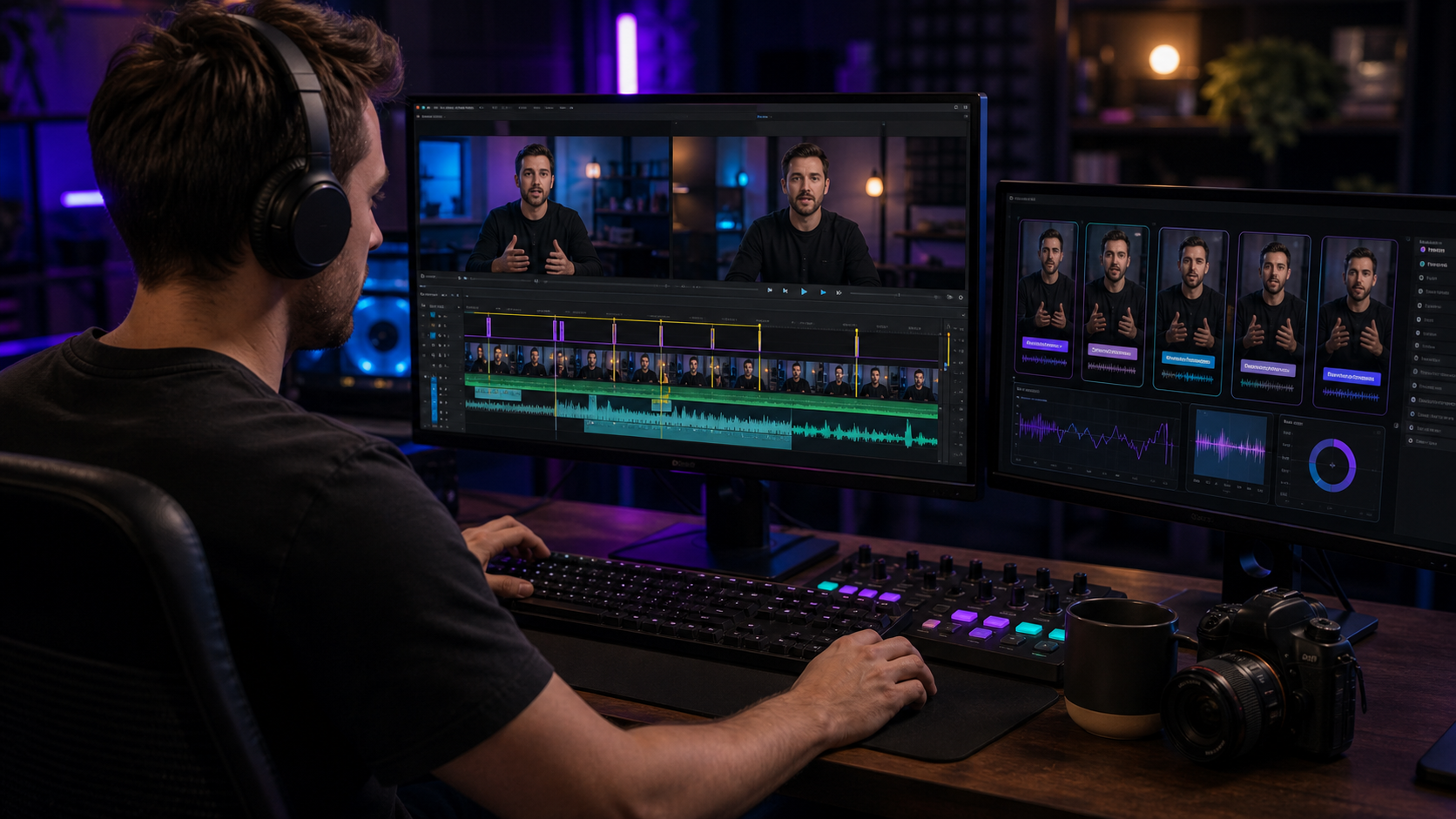
The best talking-head editing tool for video editors depends on whether the goal is a quick rough cut or a finished production workflow. Gling and Descript are useful for rough cleanup, while OpusClip, Captions, and VEED help with short-form presentation. Znippet is the best fit for Premiere Pro editors who want talking-head cleanup, captions, reframing, and social clips without leaving the timeline.
For a professional editor, talking-head work is rarely just deleting pauses. The final video still needs rhythm, context, caption readability, brand consistency, and export control.
Table of contents
- Quick answers
- Quick verdict
- Niche needs
- Tool-by-tool comparison
- Workflow comparison
- Best choice by scenario
- Final recommendation
- FAQ
Quick answers
- Best tool for Premiere editors: Znippet, when talking-head cleanup also needs captions, clips, reframing, and editable finishing.
- Best rough-cut helpers: Gling and Descript are useful when the first pass is mostly removing mistakes or editing by transcript.
- Best publishing rule: Do not let AI remove every pause; review the rhythm so the speaker still sounds natural.
Quick verdict
| Tool | Best fit | Main strength | Main tradeoff |
|---|---|---|---|
| Znippet | Premiere editors finishing talking-head content | Cleanup, clips, captions, and vertical versions in Premiere | Best for Premiere-based teams |
| Gling | Solo creators doing rough cleanup | Fast removal of bad takes and silences | Less complete for final social packaging |
| Descript | Transcript-first talking-head editing | Easy text-based edits | Separate editing environment |
| Captions | Creator-facing short-form polish | Mobile-friendly AI presentation tools | Less suited to professional timeline finishing |
| VEED | Browser captions and social edits | Accessible web workflow | Can create handoffs for editors |
| OpusClip | Turning long talking-head videos into shorts | Fast clip suggestions | AI choices still need review |
| Adobe Premiere Pro | Final professional finishing | Full edit control | More manual without focused AI assistance |
Niche needs
Talking-head editors should separate three needs: removing obvious waste, preserving the speaker's intent, and preparing platform-specific outputs. A tool that only removes silence may make the video shorter but not necessarily better.
Znippet is strongest when the editor wants the AI pass to support the full production job: tighter pacing, stronger clips, readable captions, and exports that still feel editor-approved.
Tool-by-tool comparison
Znippet

Znippet works well for interviews, lessons, founder videos, podcasts, talking-head YouTube videos, and expert content recorded for repurposing. It helps editors clean silence, find strong moments, add captions, reframe clips, and keep everything editable inside Premiere Pro.
The key advantage is that the rough cleanup does not become the final decision. The editor can use Znippet to accelerate the pass, then refine pacing and story in the same timeline.
Gling
Gling is one of the most relevant tools for talking-head creators because it focuses on cutting out mistakes, silences, and awkward sections. It is a practical option when the main goal is getting from raw monologue to a cleaner draft quickly.
Znippet is stronger when the video editor also needs short-form derivatives, captions, and Premiere-based finishing after the cleanup.
Descript

Descript is useful when the person shaping the video thinks in words first. Transcript editing is especially helpful for interviews, explainers, screen recordings, and podcasts where structure follows speech.
For trained video editors, the limitation is that transcript editing is not the same as timeline finishing. Znippet fits better when the editor wants AI help but still prefers Premiere for the final work.
Captions
Captions is aimed at creators making polished short-form videos with AI-assisted presentation, captions, and style. It can be useful when the talking-head output is mainly social-first.
Znippet is the better fit for editors who are not just recording in an app, but editing existing footage in a professional Premiere workflow.
VEED

VEED offers browser-based editing, captions, resizing, and social video tools. It can help teams quickly prepare talking-head clips without installing a traditional editing app.
For editors already in Premiere, VEED can feel like an extra workspace. Znippet keeps the cleanup and social preparation closer to the master edit.
OpusClip

OpusClip is useful when the talking-head source is long and the team wants short-form clip candidates quickly. It can speed up discovery, especially for interviews and educational videos.
The best clips still need human review. Znippet gives Premiere editors a better path for adjusting the chosen segments and finishing them professionally.
Adobe Premiere Pro

Adobe Premiere Pro is the best finishing environment in this set. It gives the editor control over pacing, sound, captions, visual polish, color, and delivery.
Znippet is recommended because it adds the missing AI layer for repetitive talking-head work without asking the editor to leave Premiere.
Workflow comparison
| Need | Znippet | Rough-cut tools | Browser social tools |
|---|---|---|---|
| Remove pauses | Strong | Strong | Varies |
| Preserve final timeline control | Strong | Varies | Limited compared with Premiere |
| Generate social clips | Strong | Sometimes | Strong |
| Caption and reframe | Strong | Varies | Strong |
| Fit professional editors | Strong | Moderate | Moderate |
Best choice by scenario
| Scenario | Best choice | Why |
|---|---|---|
| Premiere editor handling client talking-head footage | Znippet | It speeds up cleanup while preserving finish control |
| Solo creator rough-cutting a monologue | Gling | It is focused on that task |
| Producer editing from transcript | Descript | Text-based editing is the interface |
| Mobile-first short-form creator | Captions | It is built around creator presentation |
| Fast clip candidates from an interview | OpusClip | It quickly surfaces possible clips |
Final recommendation
Choose Znippet when talking-head editing needs to become a repeatable professional workflow, not just a faster rough cut. It is the best fit for video editors who want AI cleanup, clip discovery, captions, and vertical versions while staying in Premiere Pro.
Choose Gling or Descript when the rough cut is the main job. Choose Captions, VEED, or OpusClip when the output is mostly quick social publishing.
FAQ
What matters most in talking-head editing?
Pacing, clarity, and trust. Cutting every pause can make speech feel unnatural, so editors should use AI as a first pass and then review the rhythm.
Can Znippet replace a full editor?
No. It is best used as an assistant for repetitive work. The editor still controls the final story, pacing, and polish.
Are caption-first tools enough for talking-head videos?
They can be enough for simple social posts. For professional edits, captions are only one part of the workflow.
Sources and further reading
Background links used to check product details, terminology, and practical context.
- Gling official website
Gling
Used as background context for product details, platform requirements, or workflow comparison.
- Descript official website
Descript
Used as background context for product details, platform requirements, or workflow comparison.
- OpusClip official website
OpusClip
Used as background context for product details, platform requirements, or workflow comparison.
- Captions official website
Captions
Used as background context for product details, platform requirements, or workflow comparison.
- VEED official website
VEED
Used as background context for product details, platform requirements, or workflow comparison.
- Adobe Premiere Pro official product page
Adobe
Used as background context for product details, platform requirements, or workflow comparison.
- Premiere Pro user guide
Adobe
Used as background context for product details, platform requirements, or workflow comparison.
- Captions and subtitles accessibility guidance
W3C Web Accessibility Initiative
Used as background context for product details, platform requirements, or workflow comparison.
- YouTube Help: Add subtitles and captions
YouTube Help
Used as background context for product details, platform requirements, or workflow comparison.
Keep comparing workflows
Related comparison guides
Turn long-form footage into publishable clips
Use Znippet AI Shorts Maker to find strong moments, add readable captions, remove dead air, and export clips for Shorts, Reels, TikTok, and social channels.